Home → Faq

General FAQ

Q: Where are you located?
A: We're in Canada's Capital, Ottawa. Our Mailing address is as follows:
12 Harlowe Cres
Ottawa, Ontario
K2H 5P1
Canada

Q: What's your phone number
A: 1-888-676-1853 (toll free in Canada and US)

Q: What's your email?
A: you can reach us at questions@empresseffects.com

Q: Why are you so awesome?
A: We were born that way... But we've also spent years as musicians and recording engineers and gone to university to learn the best ways of making guitars sound awesome! Also, our pedals are handmade in Canada with quality parts and our warranty and customer service plans are amazing.

Q: What is your warranty?
A: Pedals come with a 2 Year warranty right out of the box, but you can extend your warranty to 4 years here.

Q: Where can I find the owner's manual for my pedal? A: All of our owner's manuals are available in the products section under FAQ & Manual.

Tremolo FAQ

Q: Does the tremolo do stereo panning? Can you modify it to do stereo panning?
A: Nope. Mono, just like your guitar.

Q: Is there an external tap tempo jack? Can it be modified to include one?
A: There isn't one, but you could add one. You have to replace the tap stompswitch with an isolated 1/4inch jack. The stompswitch is latching, so the signal you send the SD has to be latching as well.

Q: Can you change the ramp speed in two speed mode?
A: Nope. The ramp speed is automatically calculated by the pedal based on the two speeds you have set.

Q: Where should the trem go in the signal chain?
A: I'd put it right after the distortion, but experiment with it in different locations. It can create some interesting effects.

Q: How much does the grey trem cost?
A: Same as the Red one.

Q: Where can I find the owner's manual for the Tremolo
A: All of our owner's manuals are here.

Q: Does the tap function work in bypass mode?
A: Yes is does.

Q: can you explain a bit more about the two speed setting?
A: Sure. As you stomp the "tempo" button, thats what engages the "second" speed? It will ramp up or down to that speed depending on whether it is faster or slower to the current tempo.

Q: In Two Speed mode, how do I set the 2 speeds?
A: Dial in your first speed with the rate knob, then press the tap button to switch to the other speed. You c,an now adjust the second speed with the rate knob. Now you can switch back and forth between the two speeds.

Q: If I leave two speed mode, will it save my two speed settings for when I switch back?
A: Yes. It will save them as long as the pedal is plugged in.

Q: Do you do any custom art/colors?
A: That depends if you call grey a custom color. We occasionally have some grey pedals laying around... if you want one, just ask for it when you're ordering.

Q: What is the current consumption of the Empress Tremolo?
A: about 30mA

Q: What voltages can the Empress Tremolo tolerate?
A: the Tremolo can take 9v to 15v.

Q: Can you add an expression pedal jack to the trem?
A: Nope, sorry.

Q: What can I use to power the trem?
A: Any 9v DC, negative tip power adaptor will work. We recomend the Boss PSA-120.

Q: What are the rhythms?
A: Here is a diagram of the eight settings with "O" being accented:
1) 0000 (normal tremolo)
2) 0-0-
3) 0--0--
4) 0---0---
5) 0--0--0-
6) 0-0-00-0-0 (this one is in 5/4)
7) 0--0--0-0-0-
8) 0--0--0---0-0---

Q: Is the audio path all-analog?
A: Yes. A magical part called the vactrol allows the analog circuitry to be controlled digitally by a microprocessor. Best of both worlds!

Superdelay FAQ

Q: Is the dry signal analog?
A: It's completely digital. So the dry signal does go through converters. We tried making the dry signal analog, but found that we got better results (lower noise) with a completely digital solution.

Q: Can the SD be made to only store 4 presets? I don't need all 8!
A: What you can do is duplicate your 4 settings. So preset 1 is the same as preset 5, 2 is the same as 6, etc. Now you just have to scroll through 4 presets.

Q: Will the SD work with Voodoo Lab Pedal Power?
A: Yes. You can power the Empress Superdelay from outputs 5 or 6 of the Voodoo Lab Pedal Power 2+. You'll need to use the red barrel connector. You must set the corresponding DIP switch away from the NORMAL position. Also, since the Superdelay requires nearly 300mA, you should only use the other output for a much lower current pedal.

Q: Can you mod the SD so that it has an external tap tempo jack?
A: No, we don't do that mod, but it's fairly easy. You have to replace the tap stompswitch with an isolated 1/4" jack. The stompswitch is latching, so the signal you send the SD has to be latching as well. One problem you'll have is with switching presets, since the tap stompswitch is part of the preset system.

Q: Why did you choose positive tip instead of negative tip? Are you just trying to be annoying?

A: I wish we dind't have to go with the positive tip adapter. Unfortunately, it seems once you go above 200mA the standard seems to switch from negative tip to positive. We couldn't find a good supply of negative tip wall wart power supplies that would supply the required current.

Q: How much is shipping to (insert non-North American country here)?
A: $45 USD. It's probably cheaper for you to find an Empress dealer close to you.

Q: What expression pedals work with the SD?
A: The pinout for the expression pedal is TIP=signal, RING=3.3V power, SLEEVE=ground. So your expression pedal has to have that pinout. Here's a list of pedals that we know work. Please let us know if you find any other pedals that work with the SD.

Mission EP-1 and EP-2 (no polarity switch, polarity switch, respectively)

M Audio EX-P (has polarity switch)

Roland EV-5

Lead Foot LFX-1

Boss FV-500L

Moog EP-2

Q: Can I plug a VC signal into the expression pedal input?
A: Yes, but there are a couple things you want to do. The range that the SD accepts is from 0V to 3.3V. Don't let the voltage get above 3.3V. Also, you'll need to plug in a TRS cable with the RING disconnected. This is so the power that the SD provides on the RING terminal doesn't short to ground. That would be bad news.

Q: I'm having problems saving presets.
A: The little black button has to be held down while hitting the preset stompswitch. Some people hit both the black button and the stompswitch at the same time. This won't work all the time.

Q: Is the SD capable of self-osciallation?
A: Oh yes. And it actually sounds pretty nice.

Q: In looper mode, can you mess with the speed of the loop once it's been recorded?
A: Nope. That would have been cool.

Q: Can you reverse the loop once it's been recorded?
A: Yes, as long as you're going between submode B and C.

Q: Can you apply filters/modulation to a recorded loop?
A: Oh yes.

Q: How do you get back to manual mode from the presets?
A: When you're toggling between the presets (with the middle stompswitch), there's a state right after the last preset where the leds blink quickly. If you hit the tap stompswitch at this point, you go to manual mode.

Q: Can you use a delay type or any preset while looping? What about as a loop plays?
A: The looper can be saved as a preset. But you can't save a loop, and go to another mode, then come back and hear the loop. Since loops are saved to the delay line, they are written over when you are using the delay. You also can't have a delay sound going while using the looper, it's a pretty simple looper.

Q: Does the delay feedback trail off, or is it a hard stop when switching presets or bypassing?
A: When you switch the presets, the current preset fades out, and the new preset fades in. It takes about a fifth of a second. So no, the delay from the previous preset doesn't trail off.

Q: If you play some guitar into the pedal with the delay set to a certain setting, and then tap a new setting, what happens to the feedback? Does it cut off, or does all previous delay feedback automatically re-adjust to the new time?
A: When you tap in a new delay time, the delayed sound doesn't cut off, but it doesn't adjust either. I think one of the videos shows exactly how this sounds.

Q: What is the latency on this unit?
A: Latency is super low, a couple milliseconds.

Q: How many taps does it take to set the tempo?
A: It only takes two taps to set the tempo. But if you tap more times, it averages the taps to give you a more accurate time.

Q: How are the LEDs that indicate presets in sunlight?
A: Actually, one of the beta testers pointed out that the brightness of the leds sucked. So we cranked the brightness as high as we could and that made him happy. We've had customers say it works great in the sunlight.

Q: Is the artwork screen printed or a decal?
A: Screenprinted. It looks hot.

Q: I want to buy the SD but I hear you're working on version 2 which is going to be stereo and have a bunch of new amazing features!
A: Sorry, just a rumour. We're not going to work on version 2 any time soon. Maybe in 2015...

Q: Can I use the BBE Supa-Charger to power the SD?
A: No. The Empress Superdelay requires 300 mA and the BBE says it only gives 200mA on output 5&6. We've had the SD tested on the Voodoo Pedal Power and it works great.

ParaEq FAQ

Here are a few applications:

General Sweetening - Say you really like the tone of your guitar but find it could just be a little brighter and detailed. With the Empress EQ adding a small boost in the range of a of 3kHz to 5kHz with a broad Q can add a bit more detail while still retaining the sound of your instrument. Similarly, adding to the lows would bring out some warmth.

Tone Correction - Say you've set your amp up in the venue and find that the acoustics of the stage are making your rig sound too 'boomy' or 'boxy'. By cutting some of the frequencies in the lower mids (200Hz- 600Hz) with a medium Q you can bring minimize the negative effect caused by the room acoustics. Also, if you find your guitar isn't cutting through the rest of the band you can boost in the upper mids instead of just turning up the volume, which could lead to you drowning everyone else out.

Feedback Stopper - With Di'd acoustic instruments playing live can sometimes be a nightmare because of the feedback coming through the monitors. Using the Empress Mid and Hi controls in the 'tight' Q setting you'll be able to cut at the frequencies causing the feedback while retaining much of your instruments tone. With most equalizers the Q is not very tight, so by cutting higher frequencies your instrument gets much duller and 'muddy' sounding.

Distortion Enhancement - Having eq control before the amp can shape distortion sounds. For instance, if you want the treble of your signal to distort more you can boost it before the amp. The boost control on the EE Eq is also great at overdriving the input of tube amps in a very musical way.

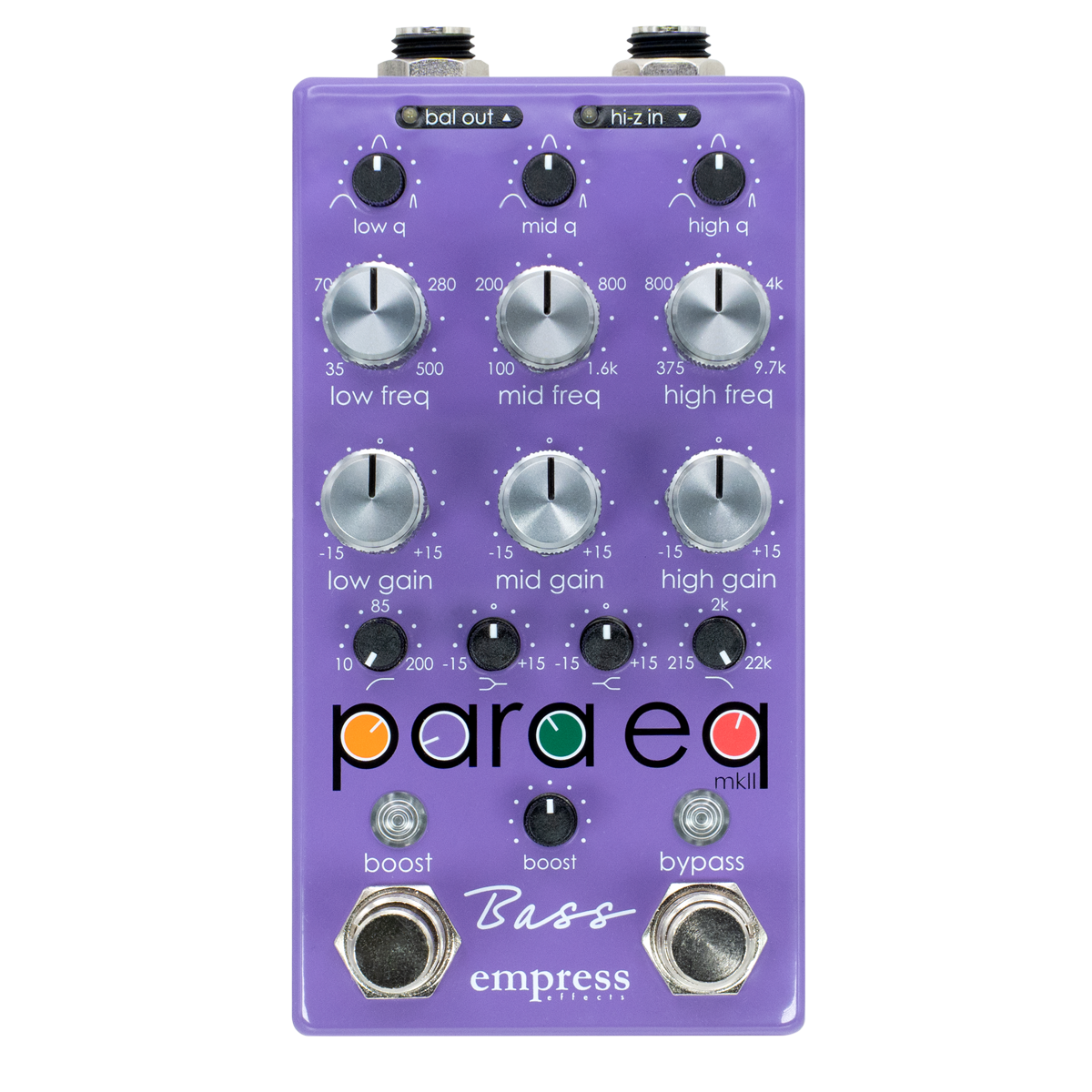
The Empress ParaEQ has three 'bell shaped' bands of eq : low, mid and high. Each band has the following three controls:

Low/Mid/Hi Frequency - This control selects the frequency at which you'd like to boost or cut. For flexibility, the frequency controls span a wide range. This makes the eq good for bass players who want to adjust the low frequency part of the signal and for acoustic guitar players who may want to remove a high frequency that is prone to feedback while playing live.

Q - The Q determines the range of frequencies which the eq affects. i.e. If you have a wide Q and you're boosting than the frequencies around the frequency selected will get boosted as well. Conversely, if you select a tight Q and are boosting you'll tend to only boost at the selected frequency and frequencies close to it, the other frequencies will remain un-touched. When looking at the eq, 'medium q' is the left switch position, 'tight q' the middle, and 'wide q' on the right.

Lo/Mid/Hi Gain - This determines the amount of boost or cut. At 12 o'clock there is no boost or cut. At the extremes the unit will provide 15dB of boost or cut.

Boost - This is an output boost control. It is perfect for providing gain before an effects chain to minimize noise, or to overdrive the input of a tube amp. The range goes from 0dB to 30dB.

Input pad - This control lowers the level at the input of the eq. Ideally, this control should be set at 0dB to maximize the signal to noise ratio of the unit. However, if you are adding lots of gain with one of the gain controls you may be clipping the eq internally - you'll hear distortion when this happens. In this case switch the input pad to -6dB or -12dB. By lowering the level at the input you'll prevent the distortion.

Bypass - This is a true bypass switch, which does exactly what its name implies.

Q: What are the ranges of each band of EQ?

A: Low Frequency - 35Hz to 500Hz
Mid Frequency - 250 Hz to 5kHz
High Frequency - 1kHz to 20 kHz

Q: How Much Gain does each band offer?

A: Each band of EQ has -15dB to +15dB available

Q: What is the range of the boost knob?

A: The boost ranges from 0dB to +30dB (That's a lot of boost!!!)

Q: What Q's are available?

A: Each band has 3 Q settings. Narrow, Medium and Wide.

Q: What input pads are available?

A: The input pad is selectable between 0dB, -6dB and -12dB.

Q: Is the ParaEQ true bypass?

A: YES!

Q: What power supply does the ParaEQ need?

A: The power supply must be 9v DC, negative tip. We recomend the Boss PSA-120 adaptor.

Q: Does the Para EQ come with a power adaptor?

A: Nope, but unless this is your first pedal, you probably already have one that will work. As long as it's 9v DC, negative tip... you're good to go.

Q: Can the ParaEQ work from batteries?

A: Nope.

Q: Will the ParaEQ work with the BBE Supa-Charger?

A: Yes

Q: Will the ParaEQ work with the Voodoo Labs Pedal Power and Pedal Power II?

A: Yes

Q: What is the input and output impedance of the ParaEQ?

A: The input impedance is 340 Kohms and the output impedance is 510 ohms.